
Proposal to invoice
Turn an accepted proposal into an invoice in a click. The figures, the line items and the client all carry across — nothing keyed in twice, nothing to mistype.
Everything the butler does
Winning the work, running the diary, getting paid, keeping the books — the four jobs a client business lives or dies by, handled under one roof. All of it powered by Accessible AI you never have to manage, and dressed, every time, in your own brand and voice. Here is the whole of it, in detail, for every trade that quotes for its work.
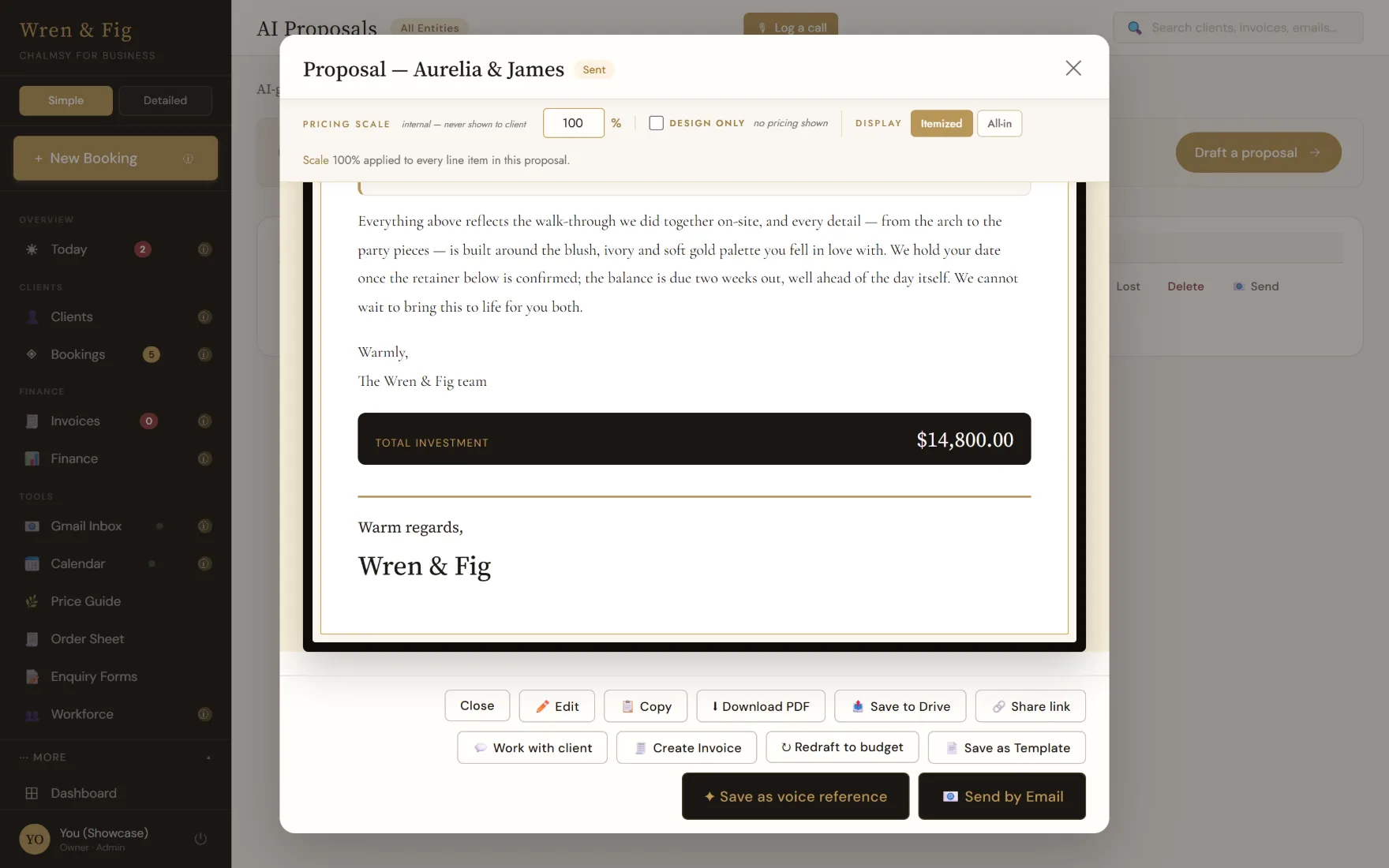
Drafted from the enquiry, in a voice that reads like yours.
Notes, changes and sign-off on the document itself.
Every conversation and quote, kept against their name.
Every enquiry on one board, with the whole job attached.
From agreed proposal to paid invoice, without re-typing.
Receipts that file themselves and a P&L that stays true.
It arrives already speaking the language of your work.
Your accountant, your bank, your inbox — all still yours.
Proposals
Paste an enquiry — an email, a WhatsApp, a scribble of notes — and the butler drafts the whole proposal: the opening, the scope, the pricing, the terms. It reads like you because it learned from the proposals you've already sent, not from a template's idea of how a proposal ought to sound.
Thank you for the site visit on Tuesday — the light through the back of the house is the thing to build around. Three ways we could take it, each fully costed:
Bookings & pipeline
Every enquiry lands on a board you can read at a glance. Drag a booking from first contact to confirmed and everything travels with it: the client, the venue, the proposal, the invoice, the timings, the history. Open one card and the whole job is in front of you.
| 07:30 | Access & setup — kitchen garden gate |
| 12:00 | Ceremony service · 60 chairs |
| 14:30 | Wedding breakfast — long tables |
| 23:00 | Breakdown & clear |
Invoicing
The invoice already knows what you agreed — because it was built from the proposal the client signed off. Deposits, balances, terms and schedules follow on their own.
Turn an accepted proposal into an invoice in a click. The figures, the line items and the client all carry across — nothing keyed in twice, nothing to mistype.
Split any job into a deposit and balances, or into stage payments. Each instalment is its own invoice with its own due date, tracked to paid.
Invoices go out from your own email, not a no-reply robot. The client sees you, replies land in your inbox, and the thread stays in one place.
Quote a retainer weekly, monthly or annually and the agreed rate carries onto each cycle's invoice. Ideal for maintenance, ongoing contracts and care plans.
Attach your terms to any proposal or invoice, saved once and reused. The client agrees to the version they were shown, and it's kept on record.
Every document exports as a clean, branded PDF at full print resolution — the kind you'd be happy to see framed, not a blurry screenshot.
Finance & bookkeeping
Snap a receipt on your phone and Chalmsy reads the vendor, the date, the amount and the category, then files it against the right job. By month end the profit and loss is already written — and you can lock the period so a closed month stays closed.
| Vendor | Category | Amount |
|---|---|---|
| Coldwater Wholesale 2 Oct · read from photo | Stock | $412.60 |
| Bexhill Fuel 4 Oct · read from photo | Vehicle | $68.40 |
| Marlow Hire 9 Oct · read from photo | Equipment | $240.00 |
| The Print Rooms 11 Oct · read from photo | Marketing | $95.00 |
The rest of the household
Beyond the four big jobs, a set of everyday conveniences — useful whether you arrange flowers, pour foundations, shoot weddings or advise boards.
Your rates, materials and markups in one place. Set them once and every proposal costs itself correctly — no more pricing from memory at eleven at night.
Save a repeatable build — a bridal arch, a survey package, a three-course menu, a standard fit-out — as a recipe you can drop into any proposal and adjust.
Keep your growers, printers, hire firms and subcontractors on file, with the price lists you buy at — ready to pull straight into a quote.
Connect Google and the client's emails sit beside their booking. Reply where the work is, instead of hunting through a separate inbox for the thread.
Bookings show up in your calendar and the relevant drive folders sit one click from the job, so the mood board and the contract are never far apart.
Bring people in and give them a role. An assistant can run bookings and details while margins, costs and the books stay hidden from view.
The people, not just the jobs
A booking is an event. A client is a relationship — the call you took in the van, the venue they mentioned once, the quote you sent last spring. Chalmsy keeps all of it against their name, so you walk into every conversation already knowing where you left off.
Just off the phone? Record it, upload a voice note, or paste what was said. Chalmsy writes it up against the right client and pulls out what actually needs doing — before you've reached the next job.
Emails, quotes, invoices, bookings and notes all sit on one page. Their last contact date keeps itself current from your inbox, so nobody goes quiet without you noticing.
Every detail carries its source — typed by you, lifted from an email, an enquiry form or a WhatsApp. When a date and a budget disagree, you can tell which one to trust.
Tap a phone number, a budget, a date and change it in place. No edit screen, no save button to hunt for, no dread about opening the record at all.
From a client's page, start a booking, raise an invoice, draft a proposal or write the email — with their details already filled in.
Add someone by email and they sign in with Google — no invitation to lose. An assistant can run bookings and clients while margins, costs and the books stay out of sight entirely.
Between sending and signing
Most work isn't won on the version you send. It's won in the fortnight of small changes afterwards — usually across a dozen emails nobody can follow. Chalmsy keeps that conversation on the document itself.
The couple, the planner, the finance director — each gets their own private link. You can see who said what, and withdraw one person's access without breaking anybody else's.
They comment against the section they mean, with photos if a picture says it faster. No more "third paragraph, second bullet" — the note sits where the work is.
If they want something you haven't quoted, they can propose it. You accept it with one click and it drops in as a costed section, or you leave it. Their idea, your prices.
Accepting sends a code to their own inbox, so a signature is tied to the person you invited rather than to whoever the link was forwarded to. The agreed version locks with their name and the date on it.
Save a revision as a new version and everyone's link follows it forward, with the whole thread of notes intact. Signing v2 is never mistaken for signing v3.
Answer their notes as you work, then send a single "here's the updated proposal" when you're done — instead of an email for every small change.
Not a blank slate
Tell Chalmsy what you do on the way in and the whole workspace changes its vocabulary. A builder is quoted a site survey, not a welcome arch. Nothing to configure — and you can change your mind later without starting again.
Wedding florals, hotel contracts and installations, with per-stem recipes, wholesale price lists and your own markup rules behind the quote.
Weddings, corporate events and productions — proposals, your vendors on file at the rates you buy at, and the run of the day in one place.
Group bookings and event-space contracts, with recurring all-in fees quoted per week, month or year.
Scopes of work, retainers and engagements, with the client's email thread sitting beside the job.
Quote fast from site, with photo-rich job records — plumbers, electricians, builders and fit-out firms.
Commissions and schemes in tiered options, priced from your own materials and markups, with mood boards beside the job.
Fits what you already use
A good butler doesn't insist the household is rearranged around him. Chalmsy sits alongside your accountant, your bank and your inbox rather than asking you to replace them.
Receipts file themselves, the ledger stays categorised and your profit and loss is current — so the picture is in front of you all year, not reconstructed each January. Export the lot whenever your accountant asks — and if you're on QuickBooks Online, Chalmsy syncs with it directly, per trading entity.
Chalmsy raises the invoice from the agreed proposal, sends it from your own email and tracks it through to paid. The payment itself moves through your own bank or provider, so nothing sits between you and your client's money — and nothing new to reconcile.
Connect once and the client's emails sit beside their booking, events land in your calendar, and the drive folder for a job is one click from the job. Reply where the work is, rather than hunting a separate inbox for the thread.
Run more than one company from a single workspace — separate entities with their own tax treatment and their own currency, kept apart in the books and on the documents your clients receive.
Every draft is a starting point, not a send-and-forget. The butler prepares the document; you're the one who puts your name to it.
Stay calmsy
Start free, bring one booking across, and let the butler show you what a quiet afternoon of admin looks like when it isn't yours to do.